
- Home
- Electronics
- Best High-Speed Printers Designed for Growing Startups & Small Businesses
Best High-Speed Printers Designed for Growing Startups & Small Businesses
If you are a growing business or a small home-based business and still relying on slow printers to help you in your job, then you are reducing your productivity and piling up work. It’s time for you to upgrade to high-speed printers that print documents in the blink of an eye. Along with that, they offer WiFi connectivity and the infamous auto-duplex printing. Here is a list of some of the best high-speed printers for startups and small businesses that are fast, high-quality and have modern features.
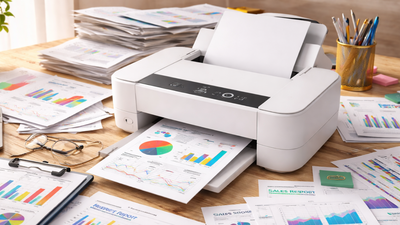
A printer that works at a snail's pace in work environments like startups and small businesses can be a big productivity killer. You have to wait for several minutes simply to print a few pages, while more paperwork piles up, for which such businesses don't even have that much manpower to deal with. That is exactly where high-speed printers become an integral part of any modern and growing workspace. These printers are not just fast but also designed for keeping heavy workloads going without lowering the flow.Today’s laser printers are designed for those who deal with a lot of paperwork at the office, with features like auto duplex printing, wireless capability, and high page-per-minute speeds that help manage difficult tasks. High-volume printers are designed to handle hundreds, or even thousands, of pages a month while delivering consistent quality. And this article is our careful selection of some of the best high-speed printers available in India. All these provide robust performance, dependable printing and useful features to make workday tasks far easier, and help small-scale businesses reduce stress about paperwork and focus on the growth of the business.
Which printer is most cost-effective for startups with heavy print requirements?Out of the three most popular types of printers, startups and small businesses should opt for laser printers. They are usually a faster and cost-effective option, as compared to ink tanks or inkjets. Many models, like the new launches from HP, have a fast printing speed of 30 ppm, which also results in giving high-yield toner cartridges that reduce the need for frequent replacements and keep long-term printing costs under control. Why should small businesses choose a printer with auto-duplex printing?Auto-duplex printing is a feature where the printer automatically prints on both sides of the paper. On the earlier model, users have to do this manually. But modern high-end printers do this automatically and reduce human intervention. This is why, ultimately, this increases productivity in workspaces. This feature also saves paper, reduces printing costs, and is more eco-friendly. For small businesses that print large numbers of documents, auto-duplex printing can significantly reduce paper usage and wastage over time. How does Wi-Fi printing benefit startups and small businesses?Wi-Fi printing is an excellent feature for small businesses and setup. It allows multiple employees to connect to the same printer without a cable. Several team members can print documents directly from their mobiles, laptops or tablets, from anywhere in the office. Printing over Wi-Fi makes document sharing easier and keeps the workflow very smooth. That's why this is very helpful for startups where the team often works on multiple tasks at the same time. The first step in testing a printer involves measuring its printing speed. The printing speed of a device is measured through its pages per minute (PPM) print performance. An office environment which requires frequent document printing should select a high-speed printer because it enables employees to work without interruptions during printing tasks.Print quality gets measured through dots per inch (DPI) measurements. Professional documents and presentations, and client reports require higher DPI settings because they deliver sharper text and clearer graphics.Different technologies serve different needs:For most offices that print documents daily, laser printers are usually the best option.The duty cycle tells you the maximum number of pages a printer can handle in a month. A printer with a higher duty cycle will perform well under heavy usage demands.Offices consider running costs to be their most essential expense. Printers with high-yield toner cartridges and large ink tanks will provide better performance because their components need less frequent replacement.Modern office printers should support multiple connectivity options with Wi-Fi or USB. The majority of office printers function as all-in-one machines which provide printing, scanning and copying that work for various tasks from the same machine. Duplex printing means automatic double-sided printing. This feature helps decrease paper expenses while obtaining better printing efficiency during major document printing tasks.Check how many sheets the printer can hold. A bigger input tray, which holds between 250 and 500 sheets, enables users to conduct extended printing operations without the need to restock the machine.Other Related Stories:Best Laser Printers Under 25,000 That Do Not Compromise QualityBest Laser Printers With Auto Duplex for High-Volume Printing
Best high-speed printers for small businesses: An overview of the products listed below:
The HP 303dw caters to small-scale businesses needing fast printing with a simple setup for their small office spaces. This printer specialises in producing crisp monochrome prints while maintaining a smooth, streamlined workflow. The performance becomes even smoother, with the automated feature of duplex printing that saves paper and time by printing on both sides of the paper. Some of its stronger highlights include a high print speed, up to 30 pages per minute, and are suitable for teams that print a lot. Perhaps the most convenient part about this model is that it is wireless. Laptops, smartphones or tablets can print directly without a wired connection, thus making it suitable for small-scale startups, where multiple device connections can increase productivity in the team. It has an amazingly compact body that fits almost any coworking space or business operating from home or a studio. Key Features:
- Print speed: Up to 30 pages per minute
- Supports Monochrome printing
- Automatic duplex printing for double-sided documents
- Supports HP Smart App, Apple AirPrint, and Mopria printing through phones and tablets
- HP 181A Black Original Laser Toner Cartridge with a yield of 1,500 pages
- Monthly duty cycle: up to 30,000 pages
- 250-sheet input tray and 100-sheet output tray
- Supports paper sizes: A4, A5, A6, envelopes
- Compact & portable body of 7.4 kgs
- Connectivity: Wi-Fi & USB
Startups and businesses need printers that can perform multiple functions without having to invest in different machines. This HP323sdnw stands out for providing all three functions of printing, copying and scanning. Being a high-speed printer that prints at a speed of 30 pages per minute, it is also known for its high-volume printing, with its 250-sheet input and 100-sheet output tray, and a starter cartridge that gives up to 1,500 pages. So, this is an ideal device for a small business to have. What sets it apart more, however, is that it's a multifunction machine with a 40-sheet Automatic Document Feeder (ADF), so you can scan or copy multiple pages in one go rather than having to put each page down individually. Mobile connectivity is also a very important feature for small businesses and startups, which this printer fulfils. Key Features:
- Print speed: Up to 30 pages per minute
- Monochrome printing, scanning and copying
- Automatic duplex printing
- Supports Mobile printing through HP Smart App, AirPrint, and Mopria
- 40-sheet Automatic Document Feeder
- Print resolution: 1200 × 1200 dpi
- 2-line LCD screen for easy monitoring and operation
- Paper input tray capacity of 250 sheets & Output tray of 100 sheets
- 256MB memory for storage
- Connectivity: Wi-Fi, Ethernet, USB
The HP 303d is for the offices where large documents are processed every day, especially for small-scale offices, where manual handling is less. This is a single-function printer that has an excellent printing speed of 30 pages per minute, which even beats many expensive models in this category. It supports multiple users by easily connecting to a USB. These printers use the advanced HP 181A black cartridges that give enough prints from the first toner cartridge. It might seem like a big investment for small business owners, but with its 30,000-page monthly duty cycle, this will be a cost-effective solution going forward. Paper wastage is a very big problem for small businesses, so this has Auto-Duplex Printing that prints on both sides without you flipping the page and saves a lot of paper wastage and operational costs when your business is in a growing stage. Key Features:
- Print speed: Up to 30 pages per minute
- Supports monochrome printing
- Print resolution: Up to 1200 × 1200 dpi
- Automatic duplex printing for printing on both sides
- Uses toner cartridge HP 181A Black and yields enough prints from the first toner cartridge
- Monthly duty cycle: Up to 30,000 pages
- Connectivity: High-Speed USB 2.0
- 250-sheet input tray & 100-sheet output tray capacity
The printer functions as a multifunctional printing device that enables users to print, scan, and copy documents. With its exceptional ability to produce printed documents at a rate of 30 pages per minute, users can accomplish extensive printing tasks within brief time periods. The printer comes equipped with a 35-sheet Automatic Document Feeder (ADF), which simplifies the process of scanning and copying multiple-page documents. It enables users to print documents from different devices by using its Wi-Fi, Wi-Fi Direct, Ethernet, and USB connection capabilities. The office printing operations require budget-friendly toner cartridge solutions, which the TN-2365 toner cartridge provides through its capability to deliver 2,600 pages per cartridge.Key Features:
- Print speed: Up to 30 pages per minute (A4)
- Monochrome printing, scanning and copying
- Automatic duplex printing for double-sided documents
- 35-sheet Automatic Document Feeder (ADF)
- Toner cartridge: TN-2365 (approx. 2600 pages yield)
- Print resolution: 600 × 600 dpi, HQ1200 (2400 × 600 dpi)
- 250-sheet input tray capacity
- Connectivity: Wi-Fi, Wi-Fi Direct, Ethernet, USB
- Compatible paper weight: Up to 105 GSM
The Brother DCP-L2520D is a straightforward all-in-one laser printer that combines printing, scanning, and copying functions in a compact machine, which is handy for desks with limited space. This offers a really fast print speed of up to 30 pages per minute, which is one of the key metrics, obviously. It also uses auto-duplex printing. It uses the TN-2360 toner cartridge, which offers a page yield of approximately 2,600 pages, helping reduce frequent toner changes. replacements. With a 250-sheet paper tray, sharp 2400 × 600 dpi print quality, and a simple USB connection, the printer is well-suited for home offices or small teams that print documents regularly.Key Features:
- Print Speed: Up to 30 pages per minute
- Supports monochrome printing, scanning and copying
- Prints at 600 × 600 dpi, but with HQ1200 tech, the resolution is enhanced up to 2400 × 600 dpi
- Built-in auto duplex printing
- Works with TN-2360 or TN-2365 toner cartridges
- Deliver up to around 2,600 pages per cartridge
- The 2-in-1 ID copy function allows both sides of an ID card to be copied
- 250-sheet input tray & 100-sheet output tray
- Monthly duty cycle: 10,000 pages
- 32 MB of built-in memory
- Compact control panel with LCD
- Stable USB connectivity
With a Wi-Fi-enabled printer like the HP 323dnw, small businesses and startups can improve their efficiency and help employees work smarter. This printer allows an employee to connect their mobile or tablet and print, copy or scan documents either directly over Wi-Fi or through the HP Smart App, Apple AirPrint, and Mopria. It gives one the desired documents in seconds while maintaining the sharp, professional-quality prints. It also comes with a powerful processor and 256 MB of memory that keeps printing smooth even when handling multiple jobs at once, so it eases the burden on startups and businesses. The printer supports flexible media types like envelopes, cardstock, and recycled paper, which is helpful for different office tasks. With support for mobile printing through the HP Smart App, employees can print directly from smartphones, tablets, and laptops, making this printer a convenient choice for small yet diversified user needs.Key Features:
- Print Speed: 30 pages per minute
- Monochrome printing, scanning and copying
- Connectivity: USB & Wi-Fi
- OS Compatibility: Windows, Mac & Mobile Compatible
- Multi-device connectivity
- 256 GB internal memory, which helps process large files
- Duty cycle: 30,000 pages per month
- Sharp quality prints & hassle-free refills with 181A Black Original Laser Toner Cartridge
The HP 323d is a monochrome laser printer that can churn out reports and other office documents at speeds of up to 30 pages per minute via USB 2.0, making it no-nonsense on the throughput front. The printer includes automatic duplex printing, which conserves paper while improving operational efficiency and reducing human intervention, thus enhancing the overall productivity in your startup. The printer's toner cartridge provides approximately 1,500 pages of printing capacity, allowing small teams to print documents without interruption for toner replacement. The printer operates at a monthly capacity of 30,000 pages, which meets requirements for extensive printing operations. The printer produces high-quality professional documents through its 250-sheet input tray and 100-sheet output tray, which operate at a printing resolution of 1200 x 1200 dpi to support efficient printing processes.Key Features:
- Print speed: Delivers up to 30 pages per minute (A4) in monochrome
- Supports printing, scanning, and copying
- Automatic duplex printing
- 250-sheet input tray and 100-sheet output tray
- Compatible toner cartridge: Uses the HP 181A Black Original Laser Toner Cartridge
- The toner cartridge offers an approximate yield of around 1,500 pages
- Designed for office workloads with a duty cycle of up to 30,000 pages per month
- Supports media sizes including A4, A5, B5, DL envelopes
- Handles media weights typically ranging from 80 to 250 GSM
- Equipped with 256 MB of memory
- Uses Hi-Speed USB 2.0 connectivity
- Energy-efficient modes
The Canon imageCLASS MF3010 multifunction laser printer operates as a compact device which serves both small office environments and home-based startups. It can print, scan and copy while being compact in size. The printer reaches print speeds between 18 and 19 pages per minute. The Canon Cartridge 925 toner operates as a single cartridge which combines toner, drum, and cleaning unit components for simplified installation and lower maintenance needs. The toner enables printing of approximately 1,600 pages, while the starter cartridge permits printing of about 700 pages. The printer operates effectively for medium printing requirements because it includes a 150-sheet paper cassette, a 1200 × 600 dpi print resolution and a monthly duty cycle that reaches 8,000 pages.Key Features:
- Print speed: Up to 18–19 pages per minute
- Warms up in about 10 seconds and gives first print output at 7.8 seconds
- Print resolution: 1200 × 600 dpi
- Starter toner yield is around 700 pages
- 150-sheet paper cassette capacity & 100-sheet output tray
- Monthly duty cycle: Up to 8,000 pages
- Print cost Monochrome: Rs 3.88
- Connectivity: USB 2.0
- Supports paper weights from 60 to 163 GSM
- Consumes about 450 W during operation and only around 1.4 W in sleep mode
Frequently Asked Questions on High-Speed Printers for Startups and Small Businesses
Key Features to Look for in Modern-day Printers
- Print Speed (Pages Per Minute – PPM)
- Print Quality (DPI)
- Printer Type
- Laser printers: best for high-volume text printing and faster speeds
- Inkjet printers: good for colour documents and photos
- Ink tank printers: offer very low cost per page for frequent printing
- Monthly Duty Cycle
- Ink or Toner Yield
- Connectivity Options
- Multifunction Capability
- Automatic Duplex Printing
- Paper Handling Capacity

About the AuthorAshna Ali
End of Article

quick links
Best Split ACBest i5 LaptopsSide By Side Door RefrigeratorsTouch Screen Laptops750 Watt Mixer Grinder32 Inch Smart TV500GB hard diskTablets under 12000Hydraulic Storage BedsRunning machinesBeard Trimmer for MenJeggings for womenCo-ord sets for womenHybrid Smartwatches for menBest Smartwatch Under 1500Over-ear headphones13 inch laptopsPortable hotspot devicesHarmonium for beginnersBass guitarsBest Gaming HeadphonesBest VR HeadsetsCar UmbrellasBest Stretch Mark Creams and OilsGirls’ bicyclesWicket keeper glovesHardsided trolley bagsBackpack for womenBackpack for menWeight loss teaOrganic turmeric powderBest Kitchen chimney in IndiaLCD writing tablet2TB Hard DiskWireless earphones under 1000Bluetooth earbudsAir Conditioner9kg Washing Machines65 Inch TVVacuum CleanersBest Water PurifiersBest AC In IndiaAutomatic Washing MachineBest AC Under 20000
Copyright © 2026 Bennett, Coleman & Co. Ltd. All rights reserved. For reprint rights: Times Syndication Service