
- Home
- Electronics
- Best Laser Printers Under 20000 for Homes & Small Businesses
Best Laser Printers Under 20000 for Homes & Small Businesses
A good printer should feel like a helpful assistant, not a complicated machine that slows your day. Laser printers under 20000 are becoming a smart choice for homes and small businesses that print often. They are quick and surprisingly economical over time. In this article, we explored some reliable printers that have excellent speed and high print quality, so you can print documents without complication and get prints in no time.
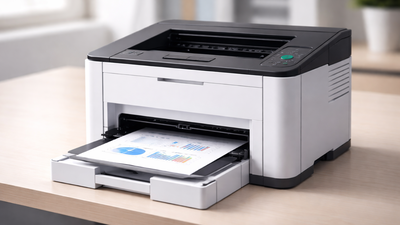
Laser printers used to be considered too expensive for anyone except large businesses to purchase. But modern technology has made laser printers available to all consumers. The market today offers affordable laser printers under 20000 rupees and provides excellent performance for home users, students, freelance workers and small businesses which require document printing.A laser printer is much faster than most inkjet or ink tank printers, produces more precise prints, and comes with cartridges that last longer. It requires less time for printing with the automated features like Automatic duplex printing, Faster ink reader, and Automatic document feeder. The compact designs of modern budget laser printers with Wi-Fi and mobile printing capabilities now enable small business owners to keep them in their studio or one-room office, as well as in the study of a house. A laser printer is an extremely cost-effective option that cuts down printing costs by fractions. So, it is a mandate for growing businesses and students to have a good laser printer. We have found some of the best laser printers under 20000 that offer dependable performance for homes and small businesses that do not want to exceed their financial limits.
What are the important features that homes and small businesses should look for in a laser printer?The first feature is the printing speed; it should be around 20 to 30 pages per minute so that one gets over tasks quickly without wasting time. Second is cost per page, which largely depends on the toner efficiency. A printer with high-yield toner saves more money in the long run. Then comes the compact design and lightweight body, because homes and small co-working spaces have very limited space for operation. Is it easy to set up and use a laser printer at home?Yes, the majority of the modern laser printers are quite easy to install. You simply plug in through USB or WiFi, set up the minimum software and begin printing. They do not require a lot of technical knowledge, even for beginners.How many pages can a laser printer under 20000 print in a month?Many laser printers below the price of 20000, especially HP’s new launches of laser printers, have a monthly duty cycle of 30000 pages. This has rendered printers capable of performing moderate-to-heavy printing requirements, particularly in small offices or in work-from-home environments.Other Related Stories:Best Laser Printers Under 25,000 That Do Not Compromise QualityBest Laser Printers With Auto Duplex for High-Volume Printing
Best laser printers under 20000, an overview of the products is listed below:
This HP printer is built for work environments, whether at home or in the small co-working offices, that are in need of a heavy-duty single-function printer but are within the budget of 20,000. This is HP’s new laser launch that has advanced technology and better speed. You can also connect it directly to your laptop and smartphones using the HP Smart app or AirPrint. For small businesses, where manpower is limited, these printers become a trustworthy choice for high-volume printing because of their 250-sheet input tray and 100-sheet output tray that can hold lots of sheets, removing the need for refilling the paper by humans. You can print on various types of papers ranging from 60 to 220 gsm. It has the famous feature of auto-duplex printing that allows the printer to print on both sides, and that too at a speed of 30 pages per minute. Overall, the HP 303dw focuses on durability and workload capacity, making it a practical option for businesses that need a reliable monochrome laser printer capable of handling regular document printing. Key Features
- Print speed of up to 30 pages per minute (ppm)
- Supports monochrome printing
- Automatic duplex printing
- Wi-Fi and USB connectivity
- Compatible with the HP Smart App for mobile printing
- 256MB memory
- The 600MHz processor helps manage larger print jobs smoothly
- 250-sheet input tray and 100-sheet output tray
- Uses HP 181A or 181X toner cartridges
- Supports multiple media sizes, including A4, A5, B5, and envelopes
- Suitable for home offices and small businesses
- Designed for a 30,000-page/month workload
The HP 303d is built like a no-nonsense work machine that focuses purely on getting documents ready for small businesses and homes without delays or distractions. This is because it runs on a robust 600 MHz processor that enhances the run time, reduces lag and gives almost 30 pages per minute. Another important aspect is that its monthly duty cycle is 30,000 pages, which shows how strong this printer is built, unlike regular printers. The printer uses high-speed USB connectivity; yes, it does like Wi-Fi, but the USB connectivity is very efficient and universally acceptable with all devices. Physically, the printer maintains a very compact design, and it roughly weighs around 7-10 kg, so it fits in easily in small co-working spaces, homes and studio offices of small businesses.Key Features
- Monochrome laser printing
- Single-function printer (print only)
- Print speed up to 30 pages per minute
- Automatic duplex printing for two-sided documents
- Print resolution up to 1200 × 1200 dpi
- 256 MB memory with a 600 MHz processor
- 250-sheet input tray and 100-sheet output tray
- Supports multiple media types and 60–220 gsm paper
- Monthly duty cycle up to 30,000 pages, which is 3 times that of a regular printer
- Connectivity via Hi-Speed USB 2.0
When searching for the best laser printers under 20000, especially for your home-based business, do check out the HP 323d Auto Duplex Laser Printer. This multi-function printer is made to handle daily workloads; thus, it has an increased printing speed of 30 pages per minute. It also includes automatic duplex printing, allowing the printer to print on both sides of the page automatically. One of the stronger aspects of this printer is the high yield of toner cartridges. This comes with the HP 181A toner cartridges, which can develop high paper yields of around 1,500-3,000 pages and reduce overall printing costs even less than what you pay at printing cafes. Connectivity is handled through USB, ensuring a stable and consistent connection with computers, even in home offices. Combined with the HP’s auto-off and energy-efficient features, it makes it one of the most efficient printers for homes and businesses. Key Features
- Printing speed up to 30 pages per minute (A4)
- Supports printing, scanning, and copying
- Automatic duplex printing
- 250-sheet input tray and 100-sheet output tray
- Uses the HP 181A Black Original Laser Toner Cartridge
- The toner cartridge offers an approximate yield of around 1,500-3,000 pages
- Designed for office workloads with a duty cycle of up to 30,000 pages per month
- Supports media sizes including A4, A5, B5, DL envelopes
- Handles media weights typically ranging from 680 to 250 GSM
- Equipped with 256 MB of memory
- Uses Hi-Speed USB 2.0 connectivity
This Canon imageClass laser printer is one of its class because of its compact size and printing solution that has been a revolution for home printing. This printer delivers monochrome printing while occupying minimal space, so it is used for small spaces. The printer prints at a speed of 18 pages per minute, which is not that great compared to many other printers, as we have mentioned above. But for the compact body and the main purpose, the speed is just absolute. You can print your work from your laptop and smartphones with the wireless printing option. The printer provides a fast first print time, which is around 8 seconds, for people to complete their small printing tasks without experiencing delays. It is the most basic yet effective printer that can handle everything from the smallest to high-volume printing. Key Features
- Monochrome laser printing
- Supports print function only
- Print speed up to 18 pages per minute
- Print resolution of 600 × 600 dpi with image refinement technology up to 2400 × 600 dpi
- Built-in Wi-Fi allows wireless printing
- 150-sheet input tray and 100-sheet output tray
- Canon Mobile Printing support enables printing directly from mobile devices
- Compact body design
- Low energy consumption with sleep mode
- Auto shutdown features for better efficiency
The Brother HL-L2440DW is a modern laser printer under 20000 that is much faster and has high-volume printing. This has one of the best printing speeds till now of 32 pages per minute, which can give you documents in high print quality in just a matter of minutes. It also has the feature of automatically printing to help you save a lot of time and paper. The wireless connectivity is one of its key strengths. You can print directly from your laptop, smartphone, and tablet using either their app or, if you have an Apple ecosystem, use AirPrint. It also includes a 250-sheet paper tray that supports continuous printing without frequent refilling. Overall, this model is one of the most advanced models out there and has the best wireless connectivity for home or office use. Key Features
- Print speed up to 32 pages per minute
- Monochrome printing output
- Automatic duplex printing
- Built-in dual-band Wi-Fi and USB connectivity
- 1200 × 1200 dpi print resolution
- 64 MB Memory
- 250-sheet paper tray capacity
- Compatible with the Brother Mobile Connect app for smartphone printing
- Supports AirPrint and Mopria mobile printing technologies
- Compact office-friendly design suitable for small workspaces
- High-yield toner cartridge options to reduce cost per page
The Pantum P2512w functions as a high-speed monochrome laser printer which serves standard automatic duplex printing. It achieves A4 print speeds of 33 pages per minute while producing documents at a 1200 × 1200 dpi resolution, which makes it suitable for printing sharp text documents and standard business materials. It supports both USB and Ethernet network connections. It comes with a 1,600-page starter cartridge that allows you to print right away and use it for the long term. The sheet input capacity is also high, so you can go for less refilling of paper. With the cartridge given with this printer and the amount of sheet input capacity, this printer can easily churn out 1,500 pages on average. The size is also commendable for being so sleek and compact. Key Features
- Prints on A4 paper at a speed of 22 ppm
- Monochrome output
- Connectivity: Wi-Fi & USB 2.0
- Automatic duplex printing
- 1200 × 1200 dpi resolution
- Separate toner and drum units for cost savings
- One-step driver installation
- Supports mobile printing and works with Apple AirPrint & Mopria
- Compact and sleek design
Frequently Asked Questions Around Laser Printers
How to Choose the Right Laser Printer
- If your main concern is bulk printing, especially for multiple users, then go for a printer that has a higher PPM and a monthly cycle, so that it can handle regular workloads without any lags.
- If your work only comprises printing text-heavy documents, then opt for a laser printer with Monochrome printing, auto-duplexing, ADF and all three functions of printing, copying, and scanning. These are more cost-effective and offer sharper output than inkjet or ink tank printers.
- Connectivity is one of the biggest factors to consider. Wireless printing is very useful these days, where you can directly print through Wi-Fi to phones, laptops, and tablets. The options of USB or Ethernet connections are also available for stable office setups.
- Also consider paper tray capacity; larger trays reduce the need for frequent refills. Lastly, check toner availability and running costs. A printer with affordable, easily available toner will save money in the long run.
- Print quality in DPI should also be a factor of consideration. The higher it is, the better the quality of the prints. With higher quality, the printed text neither bleeds nor are the graphics meant to come out pixelated.
- Toner or ink yield usually determines the cost-effectiveness of the printer. Usually, the average first yield of the cartridges that come with the printer should be 1500-1700 pages.

About the AuthorAshna Ali
End of Article

quick links
Best Split ACBest i5 LaptopsSide By Side Door RefrigeratorsTouch Screen Laptops750 Watt Mixer Grinder32 Inch Smart TV500GB hard diskTablets under 12000Hydraulic Storage BedsRunning machinesBeard Trimmer for MenJeggings for womenCo-ord sets for womenHybrid Smartwatches for menBest Smartwatch Under 1500Over-ear headphones13 inch laptopsPortable hotspot devicesHarmonium for beginnersBass guitarsBest Gaming HeadphonesBest VR HeadsetsCar UmbrellasBest Stretch Mark Creams and OilsGirls’ bicyclesWicket keeper glovesHardsided trolley bagsBackpack for womenBackpack for menWeight loss teaOrganic turmeric powderBest Kitchen chimney in IndiaLCD writing tablet2TB Hard DiskWireless earphones under 1000Bluetooth earbudsAir Conditioner9kg Washing Machines65 Inch TVVacuum CleanersBest Water PurifiersBest AC In IndiaAutomatic Washing MachineBest AC Under 20000
Copyright © 2026 Bennett, Coleman & Co. Ltd. All rights reserved. For reprint rights: Times Syndication Service