
- Home
- Electronics
- Best Laser Printers Under 25,000 for Offices That Do Not Compromise Quality
Best Laser Printers Under 25,000 for Offices That Do Not Compromise Quality
In an office, slow and unreliable printers can affect productivity directly. When teams are working on deadlines, the last thing they want is bleeding prints, slow printers, and constant refills of ink and sheets. That’s why choosing the right printer becomes less of a convenience and more of a necessity. This article focuses on laser printers under 25,000 for offices that are built to keep up with fast output, clear text, and consistent performance day after day.
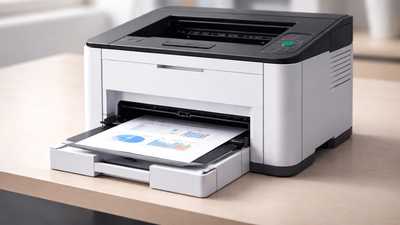
In an office setup, a printer is a device that teams rely on every single day. From back-to-back reports to last-minute client documents, speed and consistency matter a lot. That’s where modern laser printers come in, with higher printing speeds, larger print volumes and better specifications available in the latest models. Laser printers have enhanced speed and durability compared to basic inkjet printers. These printers use toner-based electrophotographic technology to produce clear text output while maintaining consistent print density and delivering smudge-proof prints for professional office documents. Some of them have features like automatic duplex printing and wireless connectivity for an enhanced user experience with less human involvement and low printing cost, which is needed for startup offices.And, the best part is that you can get these features very easily with many modern laser printers under 25,000. Especially for offices, small businesses, and startups, these printers in this price range are designed to meet the real-world demand of workspaces that need reliability, speed and performance without overspending.
Do laser printers require frequent maintenance in offices?Not really. Laser printers do not require much maintenance compared to inkjet printers. They are long-lasting, provided that you change toner in time and maintain a clean printer.Is it a good idea to invest in a laser printer for a small office?Absolutely. A decent printer can also save time and minimise interruptions, even in the case of small teams. It also reduces the long-run printing expenses, and hence, it is a viable investment in the day-to-day operations.Are such printers capable of bulk printing without reducing the speed?Yes, the majority of these in this product line are intended to be used in the everyday office workload. They are capable of constant swiftness and still print quality, regardless of the lengthy print cycles, which is crucial in a hectic workplace.
Other Related Stories:Ink tank printer vs laser printer? What To Buy For Your Home?Best Monochrome Laser Printers for Fast, Affordable Black & White Printing
Best laser printers under 25000 for offices, an overview of the products listed below:
This HP Laser 303d just hits the right spot for small offices, home offices, and budget-minded professionals who need fast, reliable black-and-white printing. This printer is part of the newly-launched auto-duplex laser 300 series of HP, which is designed to handle workloads without any constraints. If your day runs on documents, reports, invoices, and manuals, this model delivers clarity, speed, and a very easy setup that you will appreciate from day one. With a 256 GB internal memory and an excellent processor, this laser printer enables lag-free printing. And because the printer supports a wide range of paper types and sizes (A4, A5, envelopes), it adapts to different work types. Key Features:
- Functionality: Print Only
- Print Output: Monochrome
- Connectivity: Hi-Speed USB 2.0
- Built-in double-sided printing cuts paper use and cost
- Ideal for both low & high-volume printing
- Hassle-free refills with 181A Black Original Laser Toner Cartridge
- Maximum Print Speed (Monochrome): 30 ppm
- 250-sheet input tray & 120-sheet output tray capacity
- 256 MB memory with a 600 MHz processor
- Designed for a 30,000-page/month workload
The HP Laser MFP 323dnw is a highly capable machine, and one of the best laser printers under 25,000 that has features that fulfil the new age needs and solve modern printing problems. It offers a combination of printing, scanning, and copying and is an ideal choice for small/medium-sized teams, growing businesses, or anyone who wants to streamline document tasks without external dependency. This printer has made the workflows easier as you can print directly from a USB, over Wi-Fi or across a network. Besides prints and copies, scanning support assists in quickly digitising files, perfect for keeping records and sharing. Automatic duplex is here again, thus printed as well as copied documents can be double-sided without extra steps.Key Features:
- Functionality: Print, Scan and Copy
- Print Output: Monochrome
- Connectivity: WiFi & USB 2.0
- Paper-saving two-sided printing
- Works with the HP Smart app for phone-to-printer jobs
- Maximum Print Speed (Monochrome): 30 ppm
- 3x average duty cycle with 30,000 monthly pages
- 250-sheet input tray & 120-sheet output tray capacity
- Handles A4, A5, B5, envelopes and more
- Fits well on desks or shelves without crowding the space
The HP Laser 303dw takes the HP 303d's strong points and adds the convenience of wireless printing, which is pretty much needed in every modern office space. It is an uncomplicated monochrome printer that produces good speed, has automatic duplex printing, and reliable connectivity without offering unnecessary features. It prints up to 30 pages per minute, which is perfect if you have a small office or a small business with high printing expectations. For connectivity, you can work it out with Wifi and USB as well. It has a generous paper tray capacity, with 250-sheet input and 120-sheet output to keep you productive, without taking too much space on your office desk. Key Features:
- Functionality: Print Only
- Print Output: Monochrome
- Connectivity: WiFi & USB 2.0
- Auto-duplex printing to save paper and time
- Handles common sizes, including A4 and envelopes
- Crisp monochrome prints using HP 181A toner
- Maximum Print Speed (Monochrome): 30 ppm
- Up to 1200 × 1200 dpi for clean and readable text
- Ideal for both high and low volume printing
- 250-sheet input tray & 120-sheet output tray capacity
- Quick install with minimal configuration
The Canon imageCLASS MF3010 is a compact multifunction laser printer which operates as an essential tool for home offices and workspaces. It is excellent in providing printing, scanning, and copying capabilities. The device produces monochrome prints at a maximum speed of 18 pages per minute for black and white, while 19 pages per minute for coloured outputs. You can easily perform any of the three functions through a USB connection, the most stable way. It has a 150-sheet capacity tray with a 100-sheet output tray, due to which you can load quite a lot of sheets while reducing the need to refill the machine. The printer comes with a flatbed scanner as well, which helps you to convert documents and digital data.Key Features:
- Functionality: Print, scan, and copy
- Print Output: Monochrome & coloured
- Connectivity: Hi-Speed USB 2.0
- Maximum Print Speed (Monochrome): 18 ppm
- Maximum Print Speed Coloured): 19 ppm
- 150-sheet input tray capacity &100-sheet output capacity
- Manual duplex printing
- Compact & space-saving design
- Supports A4, B5, Letter, Envelope media
- 1200 × 600 dpi print resolution
- 8000 prints duty cycle
Brother offers some of the best laser printers out there. You may consider it the second-best option to HP printers. The Brother DCP-L2541DW monochrome laser printer under 25000 works as an all-inclusive printing solution. It provides printing, scanning and copying services together with automatic double-sided printing to minimise paper consumption and decrease operational expenses. You receive black-and-white document printing, which produces clear results at a speed of 30 pages per minute, together. The connectivity is versatile with wireless, Ethernet and USB options. The automatic document feeder handles 35 sheets, which enables users to scan and copy multiple pages even by connecting your printer to your smartphone.Key Features:
- Functionality: Print, scan, and copy
- Print Output: Monochrome & coloured
- Connectivity: Wi-Fi, Network & USB
- Automatic two-sided printing to save paper
- Maximum Print Speed (Monochrome & Coloured): 30 ppm
- 35-sheet automatic document feeder
- 250-sheet input tray capacity
- Up to 2400 × 600 dpi print resolution
- Compatible with TN-2365 toner cartridge (~2600 pages)
Another pick from Brother for its all-in-one monochrome function that provides printing, scanning, and copying functions. It produces sharp black-and-white prints which reach a maximum speed of 34 pages per minute when printing A4 documents. The printer provides its users with the ability to print double-sided documents through its automatic duplex printing, which requires no manual work from users and helps decrease printing expenses. The printer uses Brother's Toner Box Technology to achieve economical printing expenses, which result in fewer operational stops. The DCP-B7500D printer provides reliable multifunction printing capabilities through its 250-sheet input tray and USB connection, and a user-friendly display, which enables users to operate the device conveniently.Key Features:
- Functionality: Print, copy, and scan
- Print Output: Monochrome
- Connectivity: Wi-Fi & USB 2.0
- Maximum Print Speed (Monochrome): 34 ppm
- Automatic two-sided printing saves paper
- Print resolution up to 1200 × 1200 dpi for clear text
- Toner Box Technology lowers running costs and extends print life
- 250-sheet input tray supports larger print jobs
- Suitable monthly duty cycle (up to ~15,000 pages) for regular use
The Pantum P3302DN functions as a high-speed monochrome laser printer which serves standard automatic duplex printing. The device achieves A4 print speeds of 33 pages per minute while producing documents at a 1200 × 1200 dpi resolution, which makes it suitable for printing sharp text documents and standard business materials. It supports both USB and Ethernet network connections. It provides a 250-sheet input tray together with a 150-sheet output tray, which enables the device to handle extensive printing tasks without needing to be refilled frequently. The printer supports a maximum monthly printing capacity of 60000 pages, which enables it to handle demanding printing requirements.Key Features:
- Functionality: Print Only
- Print Output: Monochrome & coloured
- Connectivity: USB & Ethernet
- Automatic duplex printing
- Maximum Print Speed (Monochrome & Coloured): 33 ppm
- 1200 × 1200 dpi resolution
- 250-sheet input capacity & 150-sheet output capacity
- High monthly duty cycle (~60,000 pages)
- Separate toner and drum units for cost savings
Frequently Asked Questions about Laser Printers in Offices
How to Choose the Right Laser Printer
- If your main concern is bulk printing, especially for multiple users, then go for a printer that has a higher PPM and a monthly cycle, so that it can handle regular workloads without any lags.
- If your work only comprises printing text-heavy documents, then opt for a laser printer with Monochrome printing, auto-duplexing, ADF and all three functions of printing, copying, and scanning. These are more cost-effective and offer sharper output than inkjet or inktank printers.
- Connectivity is one of the biggest factors to consider. Wireless printing is very useful these days, where you can directly print through Bluetooth from phones, laptops, and tablets. The options of USB or Ethernet connections are better for stable office setups.
- Also consider paper tray capacity; larger trays reduce the need for frequent refills. Lastly, check toner availability and running costs. A printer with affordable, easily available toner will save money in the long run.

About the AuthorAshna Ali
End of Article

quick links
Best Split ACBest i5 LaptopsSide By Side Door RefrigeratorsTouch Screen Laptops750 Watt Mixer Grinder32 Inch Smart TV500GB hard diskTablets under 12000Hydraulic Storage BedsRunning machinesBeard Trimmer for MenJeggings for womenCo-ord sets for womenHybrid Smartwatches for menBest Smartwatch Under 1500Over-ear headphones13 inch laptopsPortable hotspot devicesHarmonium for beginnersBass guitarsBest Gaming HeadphonesBest VR HeadsetsCar UmbrellasBest Stretch Mark Creams and OilsGirls’ bicyclesWicket keeper glovesHardsided trolley bagsBackpack for womenBackpack for menWeight loss teaOrganic turmeric powderBest Kitchen chimney in IndiaLCD writing tablet2TB Hard DiskWireless earphones under 1000Bluetooth earbudsAir Conditioner9kg Washing Machines65 Inch TVVacuum CleanersBest Water PurifiersBest AC In IndiaAutomatic Washing MachineBest AC Under 20000
Copyright © 2026 Bennett, Coleman & Co. Ltd. All rights reserved. For reprint rights: Times Syndication Service