
- Home
- Electronics
- Jabra PanaCast U30 vs Traditional Webcams: Which Is a Smarter Choice for Meeting Rooms
Jabra PanaCast U30 vs Traditional Webcams: Which Is a Smarter Choice for Meeting Rooms
Meeting rooms are where most businesses happen, yet they are equipped with the least reliable technology. Out of all necessities, webcams are an important part of them; even better are the new-age video cameras. And one of the best ones on the market is Jabra’s new launch, the PanaCast U30, which is a compact, single-cable video bar. It has a lot to offer, so let’s see how it compares to traditional webcams and why this may be a smarter choice for organisations for standardising their small meeting rooms.
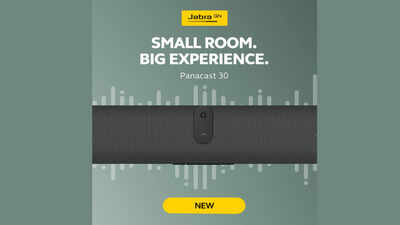
Walk into any office, and you are sure to find at least one small meeting room in which video calls are harder to deal with than they should be. There is someone who is always framed incorrectly; the microphone only picks up the person closest to the laptop, and the IT team always gets a support ticket because whoever was last in the room forgot to change the camera back to the default. This is because organisations are using commercial webcams that are integrated into professional workshops.When you search the market for the best professional webcams, you will find suggestions for newer technology, such as video bars. These are more profound and efficient than video cameras. And which is the best one? As per what's trending, the Jabra PanaCast U30 is a popular one. It’s an ideal video bar that can be mounted or placed on a desk to turn any small or huddle room into a reliable meeting space. Let’s dive in to know more about it.What Is the Jabra PanaCast U30?The PanaCast U30 is a small, standalone bar that can be installed on a monitor, a wall, or a screen with a VESA mount. The camera of this video bar records at 4K resolution and with a very wide 120-degree field of view, along with 6 microphones and a reliable speaker.This one is also an upgrade from PanaCast 40 VBS. This one is more independent with a USB-C connection, rather than the PanaCast 40 VBS, which only runs natively on its own Android OS. The U30 version also enhances the quality of the call with Intelligent Zoom and Dynamic Composition and framing without putting that strain on the laptop's CPU.Key Features of the Jabra PanaCast U30How the Jabra PanaCast U30 Is Better Than a Traditional WebcamA standard webcam is designed for maybe one or two people, and that too, sitting close to the screen. As the demand for hybrid meetings started to boom, the need for a video bar became more important than ever.Generic webcams only provide 65 to 90 degrees of coverage horizontally. This means that the edges of the table will be cropped off in a two-person desk setup, whereas the PanaCast U30 provides 120 degrees of coverage, ensuring maximum visibility.Generic webcams only have one microphone, which is for closer conversations. The PanaCast U30 provides six microphones and one speaker, ensuring full pickup of all voices in the room.Dated webcams are normally mounted on a laptop screen using a flexible gooseneck. This is a good solution for the laptop itself, but less optimal when it comes to using it in several rooms. The PanaCast U30 comes with a wall mount as standard, along with other mounts available as options, providing consistency across the board while enabling flexibility depending on the room's needs.Most webcams have no remote control at all. The PanaCast U30 can be monitored and updated remotely via Jabra Plus and the Jabra Web Console instead.Jabra PanaCast U30 vs Traditional Webcams:
What Makes the PanaCast U30 Different From the CompetitionThe onboarding wallpaper displays right away to tell when the device is connected, so a new user knows what to do next. This might be seen as a small detail, but it is one of the most common causes of delayed meetings. Most webcams and some video bars can even solve such problems.The U30 has a versatile installation setup. It has an integrated rear mount and an included wall bracket so that one can place this video bar anywhere and anyhow, thus avoiding the standard clip-on mount that limits movement.Combined with remote management through Jabra Plus and the Jabra Web Console, IT teams can monitor, update and troubleshoot devices without visiting each room.The U30 provides an entry to a broader ecosystem. For organisations that grow beyond their entry-level BYOD-only solution but wish to retain a native Teams Room/Zoom Room experience, including two cameras and an ultra-wide 180° field of view, the U30 can be upgraded to a PanaCast 40 VBS while maintaining the same high-quality audio and video. This level of flexibility is difficult to match with alternative entry-level bars.Who Should Consider the PanaCast U30?The PanaCast U30 is best for professional setups and organisations that want a cost-effective, simple USB BYOD bar with premium quality. Suitable for small- to medium-sized rooms, where employees have to join calls from Teams, Zoom or another service, depending on the client or project. With this, users get a noticeably simpler experience rather than juggling a separate webcam, speaker and microphone.Frequently Asked Questions It is a BYOD (bring your own device) video bar. It is capable of connecting with a laptop over a single USB-C cable. It runs its own functions of camera, microphone, and speaker while the meeting runs on the laptop.It is built for small rooms with up to six people, using a 120-degree horizontal field of view to keep everyone at the table in frame.Yes. It can be monitored and updated remotely through Jabra Plus and the Jabra Web Console, along with local update options, so IT does not need to visit each room for a checkup.It has one camera with a resolution of 3840 x 1080 px that gives a high-definition picture. It uses a 4K camera with a wide 120-degree horizontal, 61-degree vertical and 132-degree diagonal field of view.
- Field of view: 4K wide-angle camera with a 120-degree horizontal, 61-degree vertical and 132-degree diagonal
- Small rooms with up to 6 people
- 6 built-in microphones and one integrated speaker
- Resolution up to 3840 x 1080 px
- Single USB-C connection with no separate cables for camera, mic and speaker
- AI-powered video features, including Intelligent Zoom and Dynamic Composition
- Flexible mounting: wall mount included in the box, along with a table stand or VESA mount
- Remote management via Jabra Plus and the Jabra Web Console
- Compatibility with Microsoft Teams, Zoom and other major platforms
- Works purely as a USB peripheral
- 2-year standard warranty
- Wider field of view
- Audio pickup
- Installation
- Remote Capability
| Feature | Traditional Webcam | Jabra PanaCast U30 |
| Field of view | Typically 65°–90° horizontal | 120° horizontal, wide-angle coverage designed for group rooms |
| Audio | Single built-in mic, close-range only | Six microphones plus one integrated speaker for full-room, full-duplex sound |
| Setup guidance | None; users guess which device to select | Onboarding wallpaper with on-screen, how-to-use guidance |
| Connectivity | Single USB cable, video/audio only | Single USB-C cable |
| Installation | Clip-on; ad hoc; varies by room | Wall mount, plus VESA and table stand options for repeatable, tidy installs |
| Intelligence | Basic autofocus at best | AI-powered framing, Intelligent Zoom and Dynamic Composition processed on-device |
| Room fit | Built for one person at a desk | Purpose-built for rooms with up to six people |
| Remote Capability | Not available | Managed remotely via Jabra Plus, Jabra Web Console |
| Security | Consumer-grade, minimal | Enterprise-grade device security, including secure boot and OS-verified boot |
- Solving Bring Your Own Device confusion
- Installation at various places
- Remote-Controlled Design
- A built-in upgrade path, not a dead end
- Is the Jabra PanaCast U30 a standalone room system, or does it need a laptop?
- How many people can be covered with PanaCast U30?
- Can IT teams manage the PanaCast U30 remotely?
- How is the camera quality on the PanaCast U30?

About the AuthorAshna Ali
End of Article

quick links
Best Split ACBest i5 LaptopsSide By Side Door RefrigeratorsTouch Screen Laptops750 Watt Mixer Grinder32 Inch Smart TV500GB hard diskTablets under 12000Hydraulic Storage BedsRunning machinesBeard Trimmer for MenJeggings for womenCo-ord sets for womenHybrid Smartwatches for menBest Smartwatch Under 1500Over-ear headphones13 inch laptopsPortable hotspot devicesHarmonium for beginnersBass guitarsBest Gaming HeadphonesBest VR HeadsetsCar UmbrellasBest Stretch Mark Creams and OilsGirls’ bicyclesWicket keeper glovesHardsided trolley bagsBackpack for womenBackpack for menWeight loss teaOrganic turmeric powderBest Kitchen chimney in IndiaLCD writing tablet2TB Hard DiskWireless earphones under 1000Bluetooth earbudsAir Conditioner9kg Washing Machines65 Inch TVVacuum CleanersBest Water PurifiersBest AC In IndiaAutomatic Washing MachineBest AC Under 20000
Copyright © 2026 Bennett, Coleman & Co. Ltd. All rights reserved. For reprint rights: Times Syndication Service