
- Home
- Electronics
- Struggling With Poor Internet Signal In Your Home? Try These WiFi Extenders
Struggling With Poor Internet Signal In Your Home? Try These WiFi Extenders
A WiFi extender serves the purpose of boosting the signal so that it reaches farther locations where your router is unable to connect effectively. An extender can enhance your coverage, decrease dead zones, and have a more reliable and consistent online presence around your house without having to restructure your entire network infrastructure.
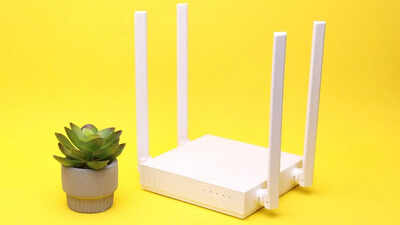
The fact that you have a bad internet connection back home is one thing that drives people mad, especially when you need the internet to work, stream or stay up to date. One of your rooms has your connection at light speed, and the next one at sluggish or dead. This is usually caused by physical obstacles such as thick walls, huge home designs or even furniture that disturbs the signal strength. Another problem with many households is the additional load being pushed on the network by the growing number of devices connected to the network (smartphones, laptops, smart TVs, and others), which leads to poor performance.The poor WiFi coverage is one of those problems that cannot be swept under the rug. The slower speeds may disrupt video calls, buffering may spoil your streaming session, and disconnects can affect productivity and day-to-day activities. Areas of your home that otherwise have no issues accessing the internet can be virtually unproductive due to dead zones, thus having minimal or no signal at all.The most effective and easy solution to this issue is a WiFi extender. These appliances are used to provide a stronger signal to further locations that your router cannot connect to successfully.
Weak Signal in Certain Rooms
When you get a good WiFi signal close to the router, and the signal becomes extremely low in the bedrooms, on the balconies and in other parts of the house, then it is a clear indication of poor coverage. Signals may be blocked by physical barriers such as walls, doors and furniture that frustratingly slow down or make some areas unusable.Frequent Buffering/ Lag
Video streaming, buffering, or lag during video conferencing and playing video games means having weak connectivity. Regardless of a good internet plan, bad signal coverage may disrupt your utilisation and slow performance in general.In case you are spending money on a high-speed internet but are not getting the anticipated speeds in various areas around your home, then it may not be your plan that is at fault, but rather a weak signal distribution. A poor connection will slow down the real speed, particularly in distances that are far from the router.Dead zones are areas where the WiFi signal cannot connect to at all, and you are out of connectivity. They are prevalent in big houses, buildings of multiple stories, or units with dense walls. When you have to move nearer to the router just to get a connection, it is a good pointer that you require a WiFi extender.Your network can be unable to perform steadily when multiple devices are connected simultaneously. This may result in a reduced speed and a lack of connection, particularly in remote regions.Types of WiFi Extenders
Single-Band Extenders
Mesh WiFi Systems
The selection of the appropriate type is determined by your size and usage of your home, as well as your budget, to enable easier and more consistent internet usage.
Other Related Articles You Might Like To ReadNoise Cancelling Over-Ear Headphones: A Complete Buying GuideBest Smart Plugs with Energy Monitoring Features
Signs You Need a WiFi Extender
Weak Signal in Certain Rooms
Frequent Buffering/ Lag
Slow Speeds Despite a Good Plan
Dead Zones (No Connectivity Areas)
Multiple Devices creating Network Strain
Types of WiFi Extenders
Single-Band Extenders
- Best For: Basic web-based activities like web browsing, email and social media.
- Single band (usually 2.4GHz).
- Wider coverage, but limited speed, to dual-band devices.
- Small homes or apartments with a minimum of interference.
- Affordable solution, which is suitable for entry-level users.
- Easy to set up and use with most standard routers.
- Pros: Cost-effective, simple to install, light usage, and middle coverage.
- Cons: Slower speeds may be problematic with HD streaming or gaming.
Dual-Band Extenders
- Best For: Multi-device, gaming, and streaming.
- Use on both 5GHz and 2.4GHz bands to be more flexible.
- 2.4GHz has a broader spectrum of range, whereas 5GHz has faster speeds.
- A) Shares network congestion by spreading devices over bands.
- Provides smoother video calls, OTT video streaming, and online gaming.
- Also performs optimally with medium and large households where internet usage is moderate.
- Pros- Better operational performance, faster speed, and more stability.
- Cons: A little pricier than single-band models.
Mesh WiFi Systems
- Best For: Large homes, multi-storey houses, and high usage of the internet.
- Comprised of several units (nodes) located around the house.
- From the same network with the WiFi name (SSID).
- Gadgets can find the strongest signal you are around.
- Removes all dead zones and makes the speed constant throughout.
- Works best in smart homes with numerous busy devices.
- Pros: Whole-home coverage, automatic roaming, high performance.
- Cons: More expensive than the standard extenders.
Best WiFi Extenders
The TP-Link N300 Range Extender improves the existing wireless coverage up to 300 Mbps. It has a simple, compact design that can be mounted to the wall. With a push of the Range Extender button, you can increase its current network. The extender has an integrated Ethernet port, which also transforms the extender into a wireless adapter to provide a wired device connection in your network. Tether also delivers super convenience to manage your settings through the Tether app. Also, the LED control function has the Night Mode available for a calm and undisturbing night’s sleep. It is suitable to boost your home internet connection.Key Features
- Enhances Wi-Fi signal to remove dead zones and enhance coverage
- Provides a speed of up to 300 Mbps to support a daily uninterrupted connection
- Wall-mounted, easily mounted and portable
- One-touch WPS setup for quick and hassle-free installation
- Ethernet port and app control for flexible use and easy management
TP-Link Deco M4 is a mesh Wi-Fi solution that is aimed at covering the entire house to make it free of dead zones and to ensure a smooth connection. Covering an area of up to 2000 sq. ft., it achieves frequencies of up to 1167 Mbps and is able to serve up to 100 devices simultaneously. Its mesh technology enables a single network name that enables smooth roaming. It works with the Alexa platform and comes with perks like voice activation and is easily managed using the Deco app. It also includes parental controls, guest networks, and it can also be either a router, access point or a range extender, which makes it a flexible and easy-to-use solution to the situation of contemporary homes.Key Features
- Coverage of up to 2,000 sq. ft. of whole-home Wi-Fi coverage
- Mesh technology supports one network name, which is able to work smoothly
- Provides a speed up to 1167 Mbps that is stable and fast
- Supports: 100 devices without lag
- Alexa compatibility, parental controls, and convenient app-based set-up and management
A solid N300 router that can be used in simple home and office applications is the D-Link DIR-615. It has speeds up to 300 Mbps and a high-gain omni antenna, enabling coverage stability. It supports many different modes,s such as router, access point, repeater, and client, and is flexible when it comes to different configurations. It has a high level of security: WPA/WPA2 encryption, a firewall, and a visitor network. Simple to install either through an app or web interface, it is also compatible with IPv6, VLAN and bandwidth control, making it a convenient and safe network solution.Key Features
- Offers wireless speeds of up to 300 Mbps with consistent coverage
- Omni antenna with high-gain helps strengthen the signal and improve its coverage
- Has various modes: Router, Access Point, Repeater, and Client
- Higher security level with WPA/WPA2 and firewall, and access to the guest network
- Easy setup via app or web interface with bandwidth and device control
This one targets the weak signal coverage because this device boosts the Wi-Fi coverage up to a combined speed of 1,200 Mbps. This wireless N600 dual-band extender functions at a rate of 300Mbps of OmniX. The first band is 2.4 GHz, and the second band is 867Mbps at 5GHz. This makes OmniX’s wireless connection faster and more stable. It is One Mesh compatible. It can be used to expand the WiFi range of your OneMesh router, thereby creating a whole-home mesh WiFi network. An intelligent signal light is there to guide you in the search for the right place for maximum coverage. It is also fully compatible with all Wi-Fi routers or any wireless access point to give you an extensive Web connection.Key Features
- Expands Wi-Fi signal to a range of 1200 Mbps, removing black spots
- Support (2.4GHz + 5GHz) will provide stability and speedy connectivity
- OneMesh compatibility for seamless whole-home mesh network setup
- Intelligent signal indicator helps find the best placement for optimal coverage
- Universally compatible with most routers and access points for easy integration
The Tenda N301 is a simple N300 WiFi router that can be used in the simplest home network. It provides up to 300 Mbp, which is appropriate for browsing, streaming and daily activities. It can also be extended to provide existing networks with WISP and repeater modes, making it easy to connect to ISP sources. Parental controls are also provided on the router, which enables you to control the usage and access of the internet. It has an easy installation procedure, therefore, friendly to novices, and connections are stable to allow users to perform their daily tasks without hassles. It is a convenient option in tiny houses or apartments due to its compactness.Key Features
- Supports up to 300 Mbps in order to make them use the internet on a daily basis
- Supports the operation of WISPs and repeaters to offer customised connectivity
- Parental controls help manage and restrict internet access
- Easy setup process, ideal for beginners and home use
- Compact design with stable performance for small spaces
Tenda AC10 AC1200 is a Tenda dual- band WiFi router, developed to offer high-speed and dependable WiFi in the household. It will have single speeds up to 1200 Mbps (5GHz 867 Mbps and 2.4GHz 300 Mbps). With a 1GHz processor, it can deal with numerous devices without any problem MU-MIMO technology. Four beamforming high-gain antennas improve coverage and alleviate dead zones. It has gigabit ports and provides high-speed wired connections. Its other capabilities, such as VPN support, WiFi scheduling, and easy app control, would make it a secure and diverse option for modern homes.Key Features
- Dual-band speeds up to 1200 Mbps (867 Mbps on 5GHz + 300 Mbps on 2.4GHz)
- Stable connectivity among a variety of devices using MU-MIMO
- Four beamforming, high-gain antennas and long coverage
- Fast and reliable wired connections are guaranteed by the Gigabit ports
- Supports VPN, WiFi scheduling, and easy app-based control
This extender from TP-Link is a proper fix for boosting your home or office WiFi signals. It removes weak signal areas. It also supports dual-band with a maximum throughput of 750 Mbps. It is appropriate for streaming, playing games and using the internet. The extender has the capability of connecting to any WiFi device, even those that use the 802.11 b/g/n and the 802.11ac standards. It has an easy setup. It can also be relocated from one place to another. It also functions as a wired network interface by using a built-in Ethernet port.Key Features
- Expands Wi-Fi reach to eradicate dead zones and poor signal zones
- Dual-band with speeds up to 750 Mbps to have a stable and reliable connectivity
- Supports the majority of Wi-Fi standards and smart devices, such as Alexa
- Compact wall-mounted design for easy installation and flexibility
- An Ethernet port allows the connection of wired devices, as a wireless adapter
This WiFi repeater will help get rid of dead zones and ensure a powerful connection within a radius of 5000 sq. ft. with an approximate range of 45-50 devices. Offering both dual-band technology, it provides stable connection speeds to 300 Mbps on 2.4GHz to support easy browsing, video streaming and gaming. It is connected to the majority of routers and devices such as smartphones, laptops, and Alexa-enabled systems. Having repeater and access point modes, it provides versatile usage. The convenient plug-and-play system using WPS and an additional Ethernet port adds reliable connectivity and a set of security measures to secure your network and data.Key Features
- Covers up to 5000 sq. ft., eliminating Wi-Fi dead zones effectively
- Supports 45–50 devices with stable dual-band connectivity
- Compatible with most routers and devices, including Alexa-enabled systems
- Features repeater and access point modes for flexible usage
- Easy setup with WPS, Ethernet port, and built-in security protection

About the AuthorDimple Sharma
End of Article

quick links
Best Split ACBest i5 LaptopsSide By Side Door RefrigeratorsTouch Screen Laptops750 Watt Mixer Grinder32 Inch Smart TV500GB hard diskTablets under 12000Hydraulic Storage BedsRunning machinesBeard Trimmer for MenJeggings for womenCo-ord sets for womenHybrid Smartwatches for menBest Smartwatch Under 1500Over-ear headphones13 inch laptopsPortable hotspot devicesHarmonium for beginnersBass guitarsBest Gaming HeadphonesBest VR HeadsetsCar UmbrellasBest Stretch Mark Creams and OilsGirls’ bicyclesWicket keeper glovesHardsided trolley bagsBackpack for womenBackpack for menWeight loss teaOrganic turmeric powderBest Kitchen chimney in IndiaLCD writing tablet2TB Hard DiskWireless earphones under 1000Bluetooth earbudsAir Conditioner9kg Washing Machines65 Inch TVVacuum CleanersBest Water PurifiersBest AC In IndiaAutomatic Washing MachineBest AC Under 20000
Copyright © 2026 Bennett, Coleman & Co. Ltd. All rights reserved. For reprint rights: Times Syndication Service